How AI in Nowa feels Different From Claude Code, Lovable and Replit

It’s not about the model. It’s about how the AI deals with your project.
If you’ve used most AI coding tools, you’ve probably noticed they all feel roughly the same after a while. It starts easy but as the project grows you start noticing the AI struggling a lot, fixing things while breaking others, becoming very slow, etc.
Until you get to the conclusion of “this is cool for a prototype but I’m not sure I’d ship with it or rely on it in long term.”
But, people who try Nowa keep asking us why it feels different? Why it runs faster? How can it handle big projects with the same level as small projects without falling apart? Why the code it generates actually holds up.
The answer isn’t a better model after all. It’s an architectural decision that enables the same AI models to operate much better within Nowa than within other tools.
How other AI tools see your project
Every other AI coding tool out there, Claude Code, Replit, Lovable, all of them, treats your project the same way a text editor does. Just a bunch of files holding code. Strings in, strings out.
That works fine when your project is small. But it gets dramatically slower as the project grows, because the AI has to fetch the right pieces from a huge pile of files with a lot of text inside. That doesn’t just make it slow, it also makes it really hard to grab the right context. It almost always misses something important and pulls in things that aren’t relevant at the same time. Which means slower prompts, lower quality results, and higher costs for the exact same model.
How Nowa sees your project
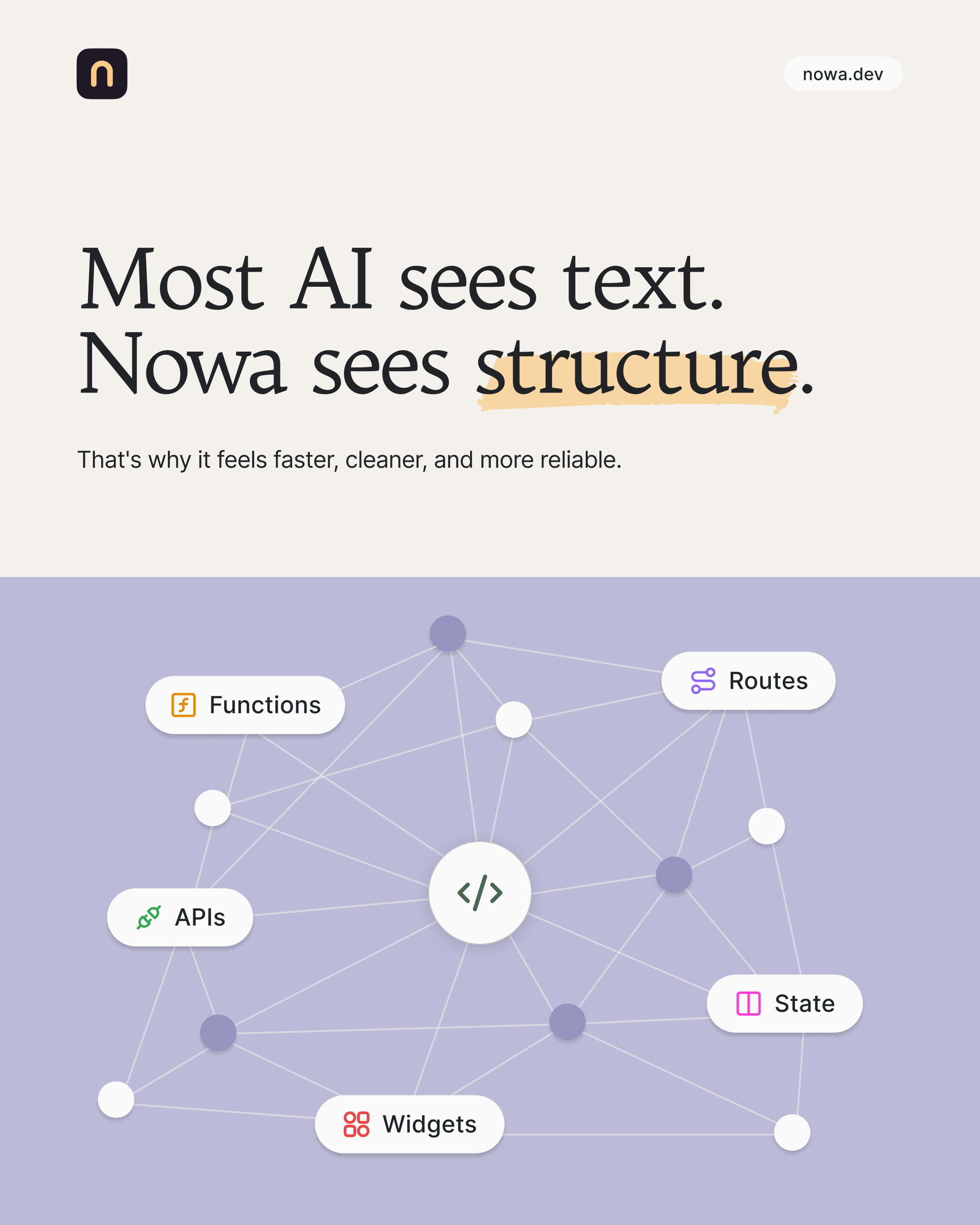
Nowa does it completely differently. When you open a project, it loads the entire thing into memory upfront as a connected AST graph.
AST stands for Abstract Syntax Tree. It’s the structure your code actually has underneath the text, the same thing compilers build when they translate your code to run your app.
The easiest way to picture it: instead of reading your code top to bottom like a long document, Nowa sees it as a map. Every component, function, and dependency, and how they all connect. Like the difference between reading a recipe word by word vs. actually understanding how the dish comes together.
What this actually changes
Because the whole project sits in memory as a graph, the AI runs way faster. But speed is only part of the story.
- Much better context extraction. The in-memory graph lets Nowa pull exactly what your prompt needs, nothing missed, nothing wasted. That makes prompts cheaper to run and way better at handling complex, large tasks.
- Real-time code validation. Nowa analyzes AI-generated code against strict rules and fixes issues before the code even touches your project. So things stay consistent and scalable as the project grows, instead of turning into spaghetti after 20 prompts.
- The AI only writes part of the code. Nowa auto-generates the rest, structure, boilerplate, all the scaffolding. So prompts aren’t just more efficient, they’re safer too, since key decisions like structure are made by the platform, not the AI.
Why it matters for production
Most AI coding tools are built for prototypes. They’re great for spinning something up in an afternoon to show off.
Nowa is built for production. For apps you actually plan to ship to real customers, maintain, and grow. And that’s only possible when the platform does real work underneath, instead of handing everything to the AI and hoping it gets it right like other tools do.
It’s also why Nowa is the only tool where you can build fully visually next to the AI, and run your mobile app instantly inside the platform itself.
It all comes back to the same architectural difference. Nowa does the heavy lifting underneath so you actually get the full power of the model on top.
Here’s a full walkthrough of building a CRM app for both mobile and web inside Nowa, so you can see exactly how all of this feels in practice:
If you’re curious what this feels like in practice, go ahead and give Nowa a try for free.
- Try it now for free: https://nowa.dev
- Join our community: Discord and Reddit
- Learn more: Documentation and YouTube tutorials
Happy building!